My Experience with the 2026 H1 Google Cloud Study Jam

I participated in the Google Cloud Study Jam in the first half of 2026, earned 44 badges, and even attended the offline hackathon. Here is my recap.
TL;DR
It is an online self-study program where you earn badges by completing hands-on labs on the Google Skills platform. Completion rewards are given based on the number of badges earned, and I received the top-tier reward with 18 skill badges + 26 completion badges (44 in total). I also participated in the offline hackathon for program participants.
What is the Google Cloud Study Jam?
The Google Cloud Study Jam (hereafter "Study Jam") is an online self-study project where you learn and practice Google AI and Google Cloud through hands-on labs on the Google Skills platform.
Google Skills is Google's unified learning platform for AI and cloud technologies, offering more than 3,000 free and paid practical courses, hands-on coding labs, and official technical badges and certifications.
I first learned about the Study Jam through X (Twitter), and since applications happened to be open at the time, I signed up for the 2026 Q1 cohort. Reportedly, about 10,000 people participated in this round.
Participation Benefits

1. Completion Rewards
Honestly, this was the most important part for me, and I suspect it is why many others started as well. Rewards are given based on the type and number of badges earned during the Study Jam period.
| Requirement | Reward |
|---|---|
| 10+ badges (including 6+ skill badges) | Stickers + Google badge set + T-shirt |
| 18+ badges (including 9+ skill badges) | Above + windbreaker |
| 32+ badges (including 16+ skill badges) | Above + backpack |
| Top 30 by skill badges earned during the period | Chrome Dino blanket + Google bicycle keyring (bonus) |
Badge Types
You receive a badge for each course you complete, and badges are divided into Skill Badges and Completion Badges.
| Skill Badge | Completion Badge | |
|---|---|---|
| Meaning | A competency-based digital credential recognized by Google Cloud, proving hands-on problem-solving ability | A digital credential proving that you have fully completed a specific course or quest |
| Structure | A series of related hands-on labs + a final Challenge Lab | Video lectures, PDF materials, or basic hands-on labs |
| How to earn | You must solve and pass the practical task in the Challenge Lab on your own, based on what you have learned | Earned by watching the provided content or simply completing the given course |
| Time required | At least 1–2 hours | Relatively short (some courses take less than 5 minutes) |
Skill badges take more time and effort than completion badges.
2. Free Credits
Most hands-on labs require credits, but the Study Jam provided 209 credits, so I could complete everything for free. Credits are mainly used for the labs required to earn skill badges.
3. Hackathon Opportunity
Participants can apply for a chance to join the offline hackathon (Google Cloud Study Jam Hackathon). My recap of the hackathon is at the bottom of this post.
Tips for the Study Jam
Choosing Courses
- Browse the catalog, courses, and collections, then pick the ones that suit you. The orientation slides sent by email include recommended courses, so they are worth checking.
- For skill badges, just pick whatever interests you. For completion badges, if you are running out of things to complete, I recommend the AI Boost Bites courses in the collections. Each one takes less than 5 minutes, which makes them great for padding your badge count.
- Beyond that, set the catalog difficulty filter to "Introductory" and pick whatever looks easy. The same goes for skill badges.
Doing the Labs
- Before starting a lab, it is worth checking that it has been updated recently. As the cloud environment changes over time, some labs no longer work, or cannot be marked complete even if you follow the steps exactly. Until this June you could judge by user star ratings, but those have since been removed, so recently updated labs are more likely to work properly.
- When doing a lab, it is best to split your screen in half: one window with the Google Skills lab instructions, and one incognito window with the Google Cloud Console. This prevents you from accidentally logging in with your personal Google Cloud account. For the same reason, I recommend closing the incognito window and opening a new one before moving on to the next lab.
- Set the language to English. Translations can be awkward, and since the Google Cloud lab environment itself is in English, it is easier to follow along. If English is difficult, extensions like Immersive Translate that show a Korean translation below the original text can help.
- Even if you close the lab window or leave in the middle, you can go back in and continue where you left off. There is generally plenty of time.
- If a lab is difficult, you can search the lab name or number on Google and follow a YouTube walkthrough. There was always at least one video uploaded by Indian creators. Note, however, that very short 1–3 minute videos usually complete the lab automatically with a script, so look carefully before following them.
Results
You can see the badges you have earned by clicking "View credentials" at the bottom of the page and selecting Completed.
In my case, I earned 18 skill badges and 26 completion badges, for a total of 44 badges. Skill badges can also be uploaded to Credly and added to LinkedIn.
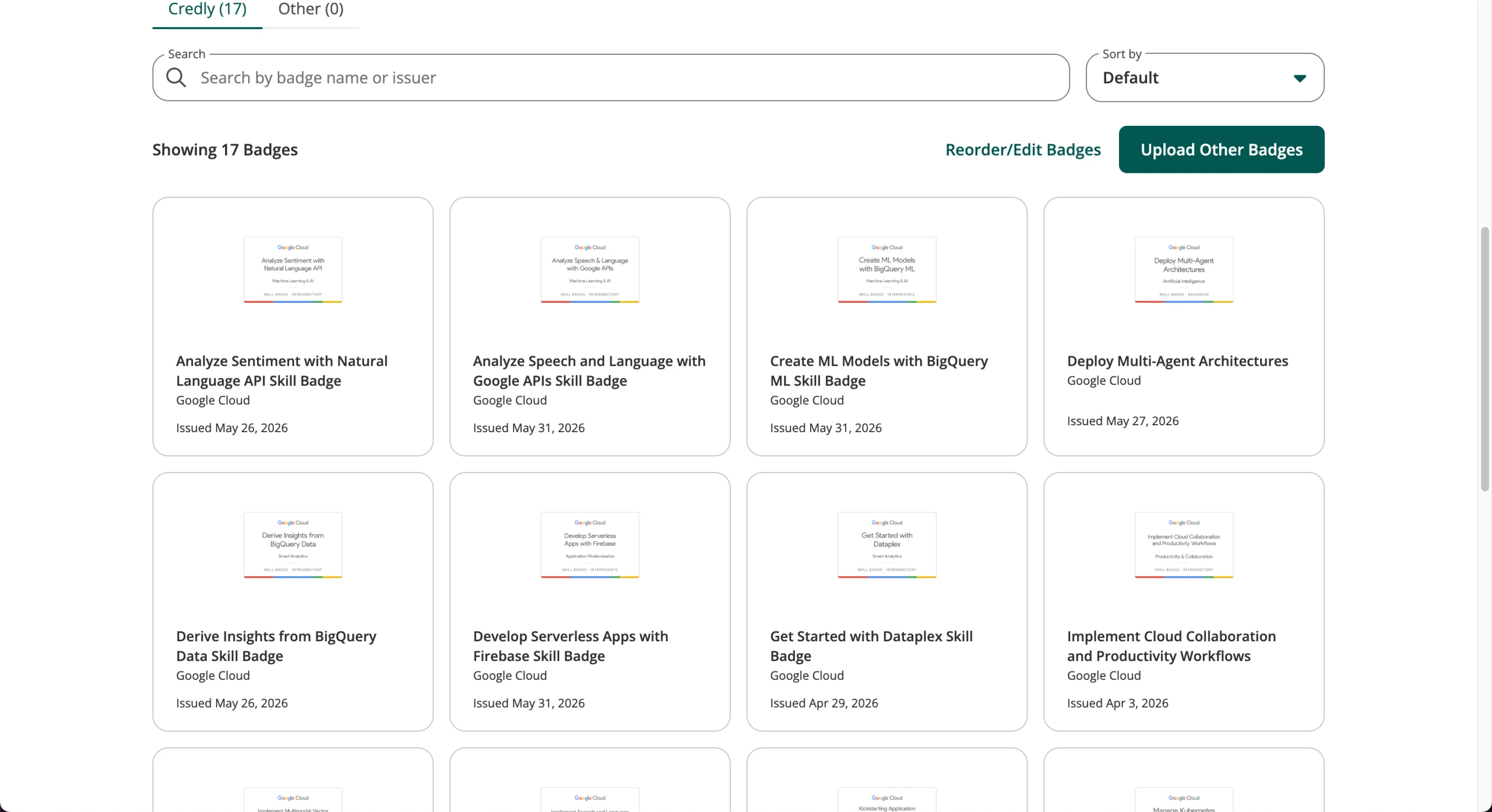
Having earned more than 32 badges, I qualified for the highest reward tier. Perhaps because more than 10,000 people participated, the reward shipment was delayed twice.
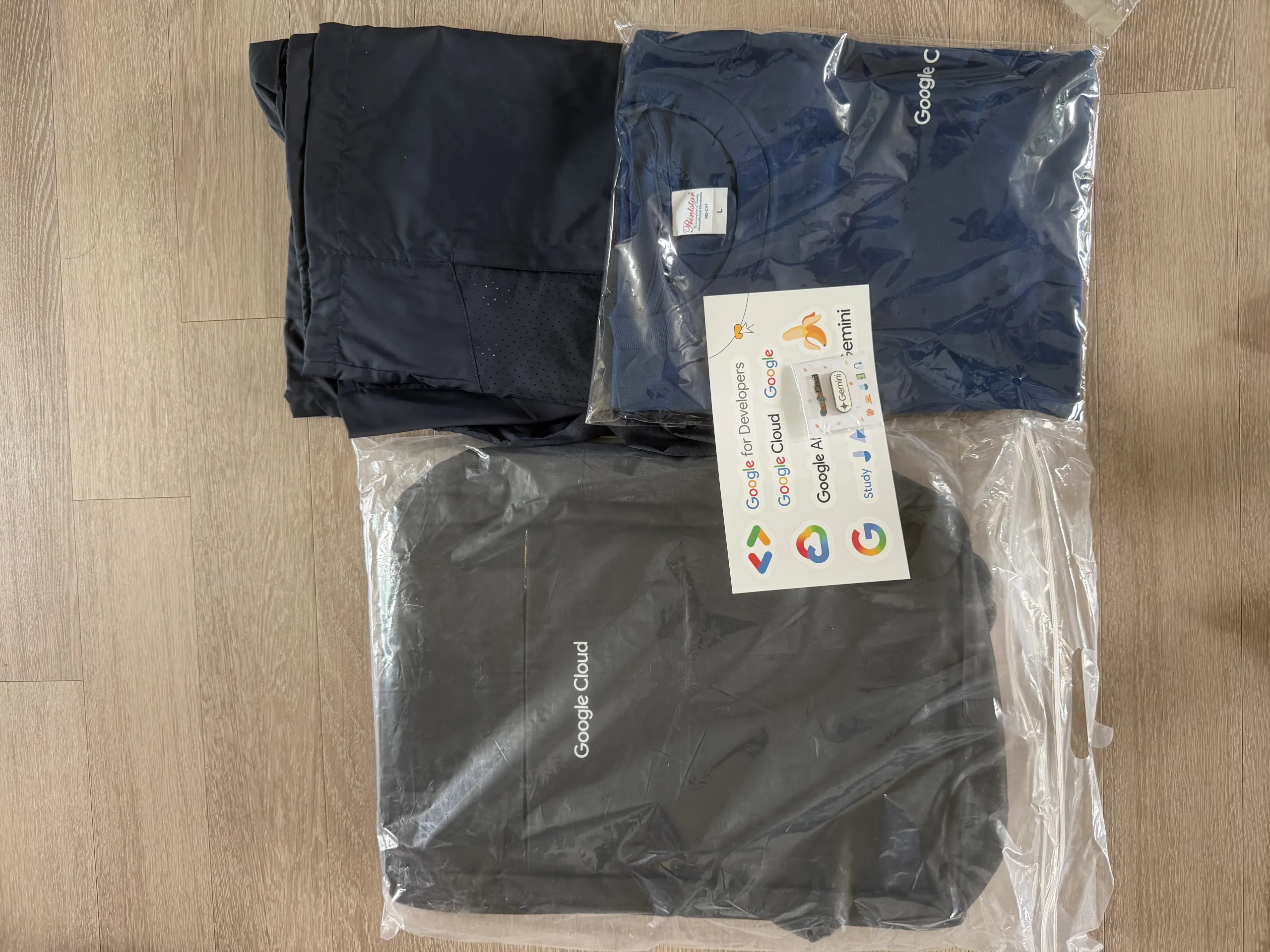
All of the clothing and merchandise is marked with the Google Cloud logo. I have not used the other items yet, but the T-shirt was pure cotton and the quality was decent.
Google Cloud Study Jam Hackathon
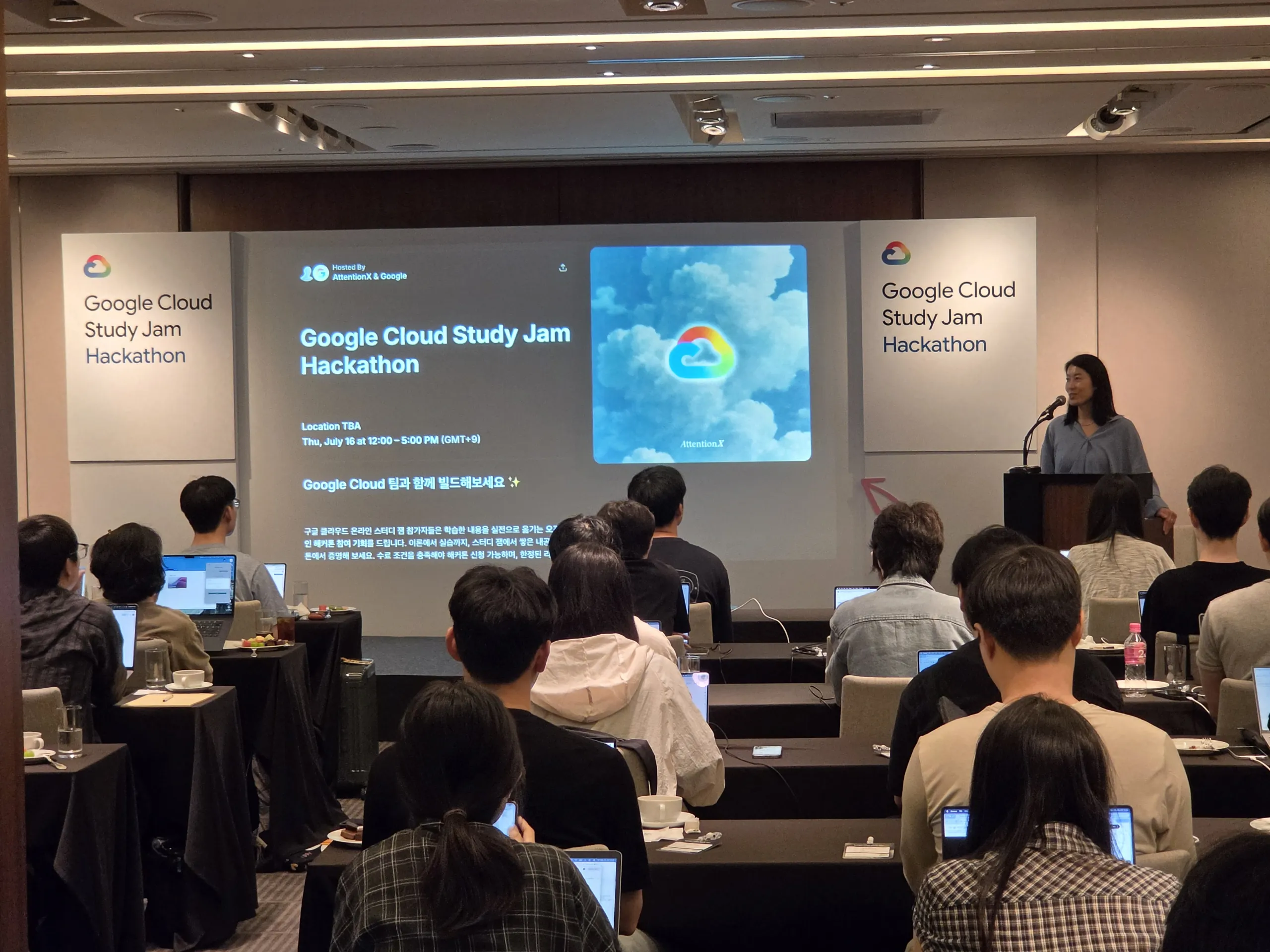
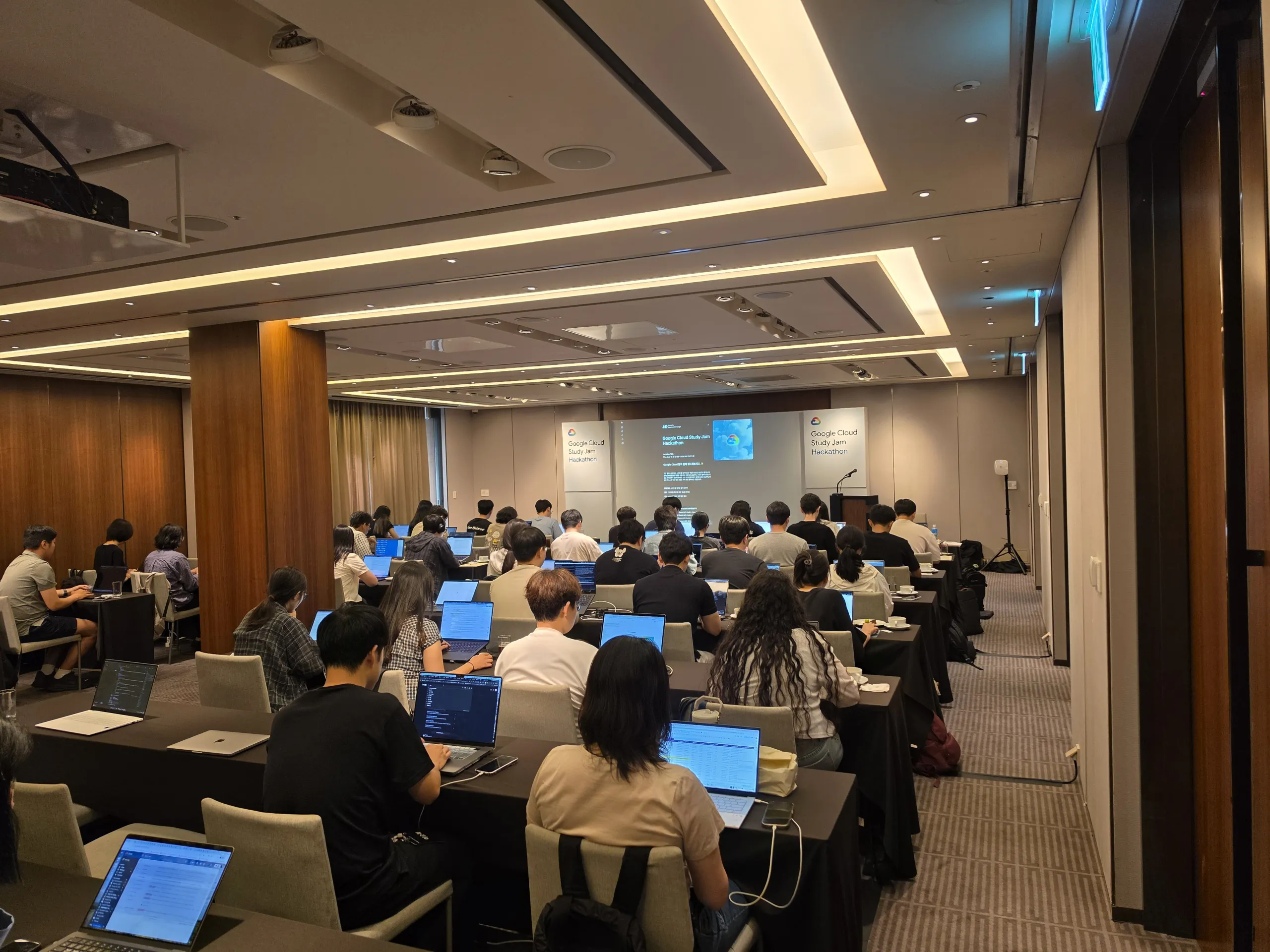
After the Study Jam ended, I applied for the Google Cloud Study Jam Hackathon, was selected, and attended. Around 50 people participated, and it was held in the Orchid Room at The Shilla Seoul. Development had to make use of Google AI technologies and tools such as Google AI Studio and Antigravity.
Themes
We chose one of the following three themes.
- Gemini in Entertainment — Korea—particularly Seoul—is a global powerhouse in entertainment. How can you leverage Google's AI products to create breakthrough experiences across music, TV, film, and gaming?
- Gemini in Hard Tech — Korea's hard tech ecosystem is surging. How can you build with Gemini to accelerate development in hardware, biotech, data centers, energy, and aerospace?
- Google AI for Social Good — As AI technology continues to evolve, using AI for social good is more important than ever. How can you leverage AI to create meaningful, positive impact and help make the world a better place?
Format and Deliverables
The event ran from 12:00 to 17:00, but only 2 hours were given for actual development. Perhaps because of this, the themes were announced by email two days in advance, which effectively meant "come prepared."
The three deliverables below were required, and 2 hours was nowhere near enough — recording the video alone took over 30 minutes. In practice, you need to have your project mostly finished within those two days.
- Project Description
- Public GitHub Repository (open-source code link)
- Demo Video (a link on YouTube, Google Drive, etc.) I chose Gemini in Entertainment and built a service that reads the dialogue and scenes of Korean webtoons with Gemini, then uses Gemini TTS so you can listen to them like an audiobook.
Judging Criteria and Prizes
-
Technical Demo: Is the project technically polished? Does the demo run correctly without errors?
-
Impact: Does the project solve a real problem? Is the problem important enough?
-
Creativity: How creative is the idea? Is it a fresh approach rather than something commonly seen before? A total of $4,000 in prizes was allocated.
-
1st place: $2,000 in Gemini API credits + Google Fitbit Air
-
2nd place: $1,000 in Gemini API credits + Google Fitbit Air
-
3rd place: $500 in Gemini API credits + Google Fitbit Air
-
People's Choice Award: $500 in Gemini API credits
Hackathon Impressions
Looking at the actual winning projects, the judges seemed to prefer works built on Google AI Studio over those built from scratch. Honestly, I am not sure the winning ideas were all that original — decently made AI Studio projects seemed to score highly. If you plan to join this hackathon, building with Google AI Studio, or even publishing your app there, will probably go over well with the judges.
There were some disappointments too. I think it would have been nice to give even $100 to each participant, and since we had to gather by noon, a boxed lunch would have been appreciated. Apparently last year's hackathon had a buffet, but not this time.
Final Thoughts
I set a goal of completing at least one badge every day, like a daily habit.
Honestly, earning a skill badge does not mean I have truly mastered the technology, but I did pick up a tutorial-level understanding of which cloud features to use and how, and I would say the real value was simply becoming familiar with Google Cloud.
It may not be much, but earning the badges left me with a sense of accomplishment, and being able to post them on LinkedIn was a nice bonus. I was also happy to receive the Google Cloud merchandise, which was my original goal.
Having used Google Cloud before or knowing basic coding certainly helps, but even if you have not, the introductory difficulty is easy enough that I would recommend the program to anyone who is interested.